
The Plain Dealer
cleveland.comNews & Magazines
3.997.00 Reviews
- Version
- 8.0.0
- Installs
- 10.00K
- Age Rating
- Teen
Screenshots
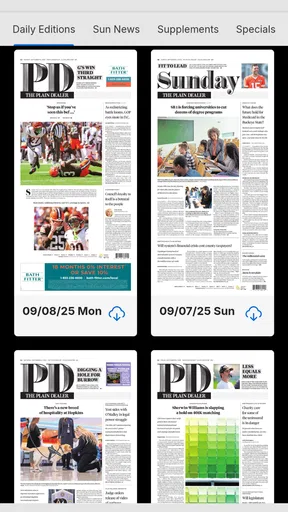
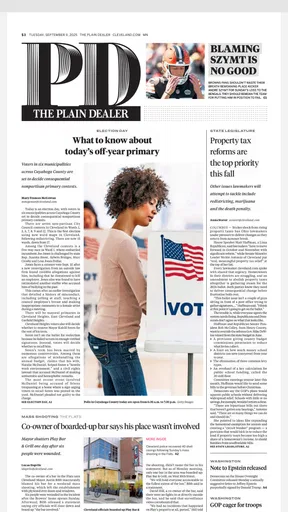
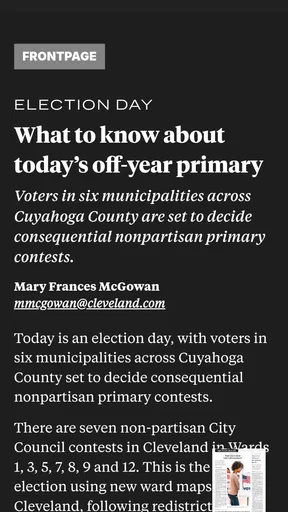

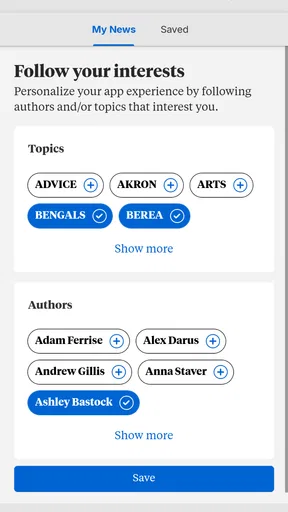
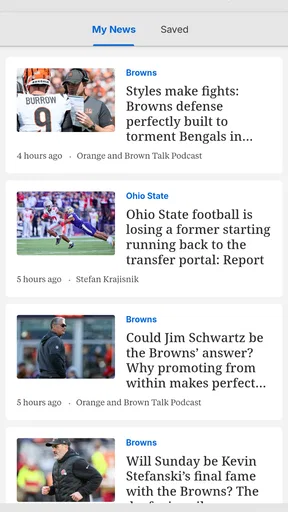
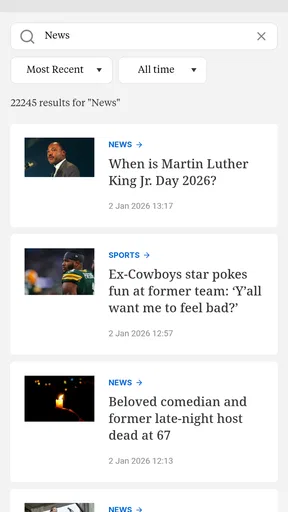
Our Review of The Plain Dealer
 Analysis by Appyee
I approached The Plain Dealer as a reader who wants local news without turning the phone into a constant source of noise. The app belongs to the News & Magazines category and is developed by cleveland.com, with the familiar purpose of bringing The Plain Dealer’s online newspaper experience to a mobile screen. My overall impression is that it is most useful when I already know I want Cleveland-focused reporting and want a direct reading routine rather than a broad, algorithm-driven news feed.
That focus matters. A general news app can be convenient when I want national headlines, international coverage, sports from everywhere, and a mixture of publishers in one place. This app makes more sense for someone whose daily questions are local: what is happening around the region, what decisions may affect nearby communities, and which stories deserve a closer read than a short social-media post can provide. It is free to install, carries a Teen content rating, and has reached over ten thousand installs, so it sits in a fairly modest but clearly established part of the mobile news landscape.
What the app feels like as a local-news reader
My first useful takeaway is that this is not an app I would install simply to fill spare space on my phone. Its value depends on whether The Plain Dealer’s coverage matches my interests. If Cleveland-area news is part of my everyday life, the app can become a practical shortcut: open it during breakfast, scan the main stories, save time compared with visiting several pages, and return later when a developing topic deserves more attention.
That workflow is different from using a social network as a news source. Social feeds are good at showing what people are discussing, but they can bury important local reporting beneath entertainment, commentary, and repeated links. A newspaper app gives me a more intentional starting point. I can decide to read the news rather than wait for an algorithm to decide what deserves my attention.
At the same time, I would not treat it as my only source for every subject. A local newspaper app is naturally narrower than a national news service, a dedicated weather tool, or a specialist publication. For a quick national overview, another app may be faster. For emergency information, I would check official local channels as well. The Plain Dealer works best as one dependable part of a reading setup, not necessarily the entire setup.
The current version is 8.0.0, and the app supports devices running Android 8.0 or newer. That operating-system requirement is reasonable for many users, but it is worth checking before trying to install it on an older phone or tablet. I also like knowing that the app remains free to download, although in-app purchases are listed at $24.99 per item. That combination suggests a low-friction entry point, while readers should still pay attention to any purchase screen and understand what they are choosing before confirming it.
Trust starts with knowing what kind of app this is
For me, trust in a news app begins with clear identity. This product is presented as The Plain Dealer’s online newspaper app, and the named developer is cleveland.com. That is more useful than a vague headline reader that hides where its content comes from. When I open a local-news product, I want to know whether I am dealing with a publication, an aggregator, or a collection of links. Here, the newspaper connection is central to the experience.
The public rating is a 3.9 average from 239 ratings, alongside 97 written reviews. I read that as a mixed but meaningful signal rather than a guarantee. A score in that range tells me that some readers find the app useful while others have encountered enough friction to lower their opinion. Ratings cannot tell me whether a problem affects my own device, but they are a reminder to judge the reading experience on practical details such as navigation, account prompts, and the way paid access is presented.
I would also separate trust in the publisher from trust in the software experience. A recognizable newspaper name can make the content feel familiar, but the app still deserves its own review. Installation, permissions, sign-in choices, purchase screens, and data controls all affect whether I feel comfortable using it repeatedly. I would not assume that a known publisher automatically makes every digital choice ideal, and I would not assume that a middling app rating says anything about the quality of every article.
Permissions and visible controls deserve a deliberate check
The most responsible way to evaluate this app is to inspect the permission requests and privacy choices shown on the device, rather than guessing from the app’s purpose. I would read each prompt when it appears and grant only what makes sense for the way I plan to use the newspaper. If a permission is optional, declining it can be a reasonable first step; I can always revisit the system settings later if a feature genuinely needs it.
This is especially important because news reading does not automatically require every kind of device access. I would be cautious with any request that feels unrelated to opening articles, browsing sections, or managing an account. The app’s visible prompts and the operating system’s permission manager are the right places to make that judgment. I would not treat a permission as harmless simply because the app comes from a familiar publication.
Account controls deserve the same attention. If the app asks me to sign in, I would look for the purpose of the account before entering details. Is it needed to synchronize access, manage a subscription, or unlock a particular part of the newspaper experience? I would use a unique password and avoid entering more personal information than the service actually requests. If I stop using the app, I would review the account settings and the phone’s app permissions instead of assuming that uninstalling alone answers every privacy question.
There is a useful distinction here between a visible choice and an invisible assumption. A clear purchase confirmation, an understandable sign-in screen, and a system permission prompt let me make an informed decision. A vague message that pushes me forward without explaining what happens next would make me slow down. My advice is simple: do not rush through the first launch, and do not approve a purchase merely because it appears while I am trying to read an article.
Where personal information can matter most
The most data-sensitive moments are usually not the act of reading a headline. They are the moments when I create an account, enter payment details, accept a permission, or interact with a personalized setting. That is when I would pause and check the wording on screen. A free installation can still lead to paid choices, so I would treat the $24.99 per-item purchase listing as a reason to review every transaction screen carefully.
I would also be careful on a shared phone. If another person can open the device, saved account access or an already authenticated session may expose reading activity or subscription controls. I would use the phone’s own security features, sign out where appropriate, and avoid leaving payment confirmation screens open. This is not a criticism unique to The Plain Dealer; it is a practical habit for any app that combines publishing with account or purchase functions.
Another realistic situation is reading on a work device. If I install the app on a company-managed phone, I would first check the organization’s rules. A newspaper app may be perfectly reasonable for personal use, but the device administrator could apply separate restrictions to accounts, purchases, or installed software. Keeping personal reading and work credentials separate is the safer arrangement.
Notifications are another moment where I want control. News alerts can be genuinely helpful when a local story is developing, but too many interruptions quickly turn the app into background noise. I would begin with a conservative notification setting and increase it only if the alerts prove useful. If I find myself dismissing every alert, that is a sign to reduce them rather than uninstalling immediately. The phone’s notification controls provide a second layer of choice if the app’s own settings do not match my preferred routine.
A practical morning and evening routine
My preferred everyday use would be a short morning check followed by deeper reading later. I would open the app with a specific goal instead of endlessly refreshing: scan the major local stories, identify one or two topics that affect my day, and close it. In the evening, I could return to read a longer report with more attention. This approach keeps the app useful without letting news consumption expand into every quiet moment.
For someone commuting by public transport, the app could be helpful when a local story matters before arriving at work or school. I would still be mindful of mobile data and battery use, especially if I am reading for a long period away from Wi-Fi. I would also avoid assuming that every article is suitable for quick reading; some reporting deserves time, and a small screen can make long sessions tiring.
A parent might appreciate the convenience of a local source but should remember the Teen content rating. That rating is a useful signal that the publication may cover mature news topics. I would not hand the phone to a younger child expecting a children’s reading environment. The app is designed for general news consumption, not for filtering the world into age-appropriate stories.
For a local business owner, the app can be a way to keep an eye on regional developments that may influence customers or the community. For a student, it can provide a starting point for understanding local issues, but I would compare important claims with primary documents or other reputable reporting before using them in serious work. For a reader who lives far from Cleveland and has no personal connection to the region, the narrower focus may not justify a permanent place on the home screen.
How it compares with ordinary alternatives
The closest alternative is visiting The Plain Dealer through a mobile browser. The browser route avoids adding another app and may be preferable if I read local news only occasionally. The dedicated app becomes more attractive when I want a repeatable habit, quicker access, and a reading space separate from the clutter of open browser tabs. The trade-off is that an installed app adds another account, permission, notification, and update decision to manage.
A general news aggregator offers breadth that this app cannot reasonably match. It can place national and international headlines beside local stories and may be better for someone who wants one mixed feed. However, aggregation can make local coverage feel like just another item in a stream. I prefer a newspaper-focused app when the local angle is the reason I am opening it in the first place.
Social platforms are more immediate for public reaction and conversation, but they are less dependable as a complete reading workflow. They can help me discover a developing topic, while a publication app gives me a more focused place to follow the reporting. I would use social posts as leads, not as a substitute for reading the underlying article.
Finally, official government or emergency apps may be better for alerts, closures, public notices, or service information directly from an agency. The Plain Dealer can add context and reporting around those subjects, but I would not confuse journalistic coverage with an official alert channel. Choosing the right tool for the right question is one of the app’s most important trade-offs.
Small habits that make the experience safer and more useful
I would take three practical steps before settling into regular use. First, I would review notifications immediately and keep only the alerts that support my routine. Second, I would inspect the account and purchase screens before I need them, so I know whether reading requires a login and where payment decisions appear. Third, I would revisit permissions after a few days and remove anything I do not use. These steps take little time and prevent the app from controlling the routine by default.
I would also avoid judging the app after one rushed session. A news application can feel awkward when I am trying to find a single story under time pressure, yet work well as a daily publication reader. I would test it during the exact situations that matter to me: a quick morning scan, a longer evening article, a notification arriving during work, and a return to an article after closing the app. Those moments reveal more than a first glance at the icon.
On the other hand, I would not force the app into a role it was not built to fill. If I need breaking weather warnings, a wide international briefing, or a highly specialized topic feed, I would choose a service designed for that purpose. If I dislike account creation or paid options in a reading app, I would compare the browser experience before committing to regular use. Knowing when not to use an app is part of making a good recommendation.
My cautious verdict for local-news readers
I see The Plain Dealer as a sensible choice for readers who specifically want a mobile connection to Cleveland-area newspaper coverage. Its strongest quality is focus: it gives local news a dedicated place instead of asking me to search through a general-purpose feed. The free entry point makes it easy to try, while the Teen rating and listed in-app purchase price are reminders to pay attention to the audience, account flow, and transaction choices.
My recommendation is positive but measured. I would suggest it to a Cleveland-focused reader who values a newspaper routine and is willing to review permissions, notifications, sign-in prompts, and purchase screens carefully. I would skip it if my main need is a broad national briefing, official emergency alerts, or a completely account-free reading habit. The 3.9 average from 239 ratings supports that balanced view: useful for the right audience, but not a universal replacement for every news tool.
In the end, I would keep the app only if it earns a clear place in my day. A short, controlled local-news check is a good reason to keep it installed. Constant alerts, unclear account choices, or a mismatch between the coverage I want and the coverage I actually read would be reasons to change the setup. The best way to use this app is with deliberate control: choose the alerts, permissions, and purchases that serve your reading habits, rather than accepting every option automatically.
Verdict
Strengths of The Plain Dealer
- Reliable coverage of Cleveland and Northeast Ohio news
- Strong reporting on local politics, sports, and community issues
- Website and app offer convenient access to breaking updates
- Includes in-depth investigations beyond short news summaries
- Digital subscription provides access to a broad article archive
Limitations of The Plain Dealer
- Many articles require a paid subscription to read in full
- Some users may find the app interface less intuitive than competitors
- Advertising can make the reading experience feel cluttered
- Coverage is primarily regional and may not suit national-news readers
- Subscription pricing may be expensive for occasional readers
Other Releases by cleveland.com
View All
cleveland.com
News & Magazines3.2

cleveland.com: Browns News
Sports3.8
Similar Picks in This Category
View All
Google News - Daily Headlines
Google LLC4.0

X
X Corp.4.8

Flipboard:Your Social Magazine
Flipboard3.4

Opera News: breaking & local
Opera4.5

Hindi News by Dainik Bhaskar
Dainik Bhaskar Group4.0

Way2News Daily News App
Way2News ( Formerly Way2SMS )4.6
Frequently Asked Questions
What is The Plain Dealer app?
The Plain Dealer app is a digital news platform for readers interested in Cleveland and Northeast Ohio. It provides access to local reporting, breaking news, politics, sports, business, entertainment, weather, and community coverage. After installing it, users can browse headlines, open full articles, and keep up with regional stories from a phone or tablet.
Is the The Plain Dealer app free to download and use?
The app can generally be downloaded without charge, allowing users to install it and explore available content. However, access to all articles may depend on a subscription or digital membership, particularly after reaching a reading limit. Subscription terms, prices, trial offers, and included features can change, so users should check the current information shown in the app store or inside the application.
Does The Plain Dealer require a subscription?
A subscription may be required for unlimited access to premium or metered articles. Free users can often view selected headlines and stories, but the amount of accessible content may be limited. Subscribers typically receive broader digital access and may be able to sign in across supported devices. Before subscribing, review renewal conditions, billing details, and cancellation instructions carefully.
What type of news and features are available in the app?
The Plain Dealer focuses primarily on local and regional journalism, including Cleveland news, Ohio politics, sports, investigations, business, arts, food, lifestyle, and weather. Depending on the current version, the app may also offer breaking-news alerts, saved articles, personalized reading options, photo galleries, and links to related coverage. Available features can vary between Android and iOS.
Does The Plain Dealer app send notifications or work offline?
The app may request permission to send notifications about breaking stories, major local developments, sports results, and other selected topics. Notifications can usually be enabled or disabled through the app or your device settings. Most articles require an internet connection to load, although some versions may retain recently opened content temporarily. Offline availability should not be assumed for every story.
